Maze.asm
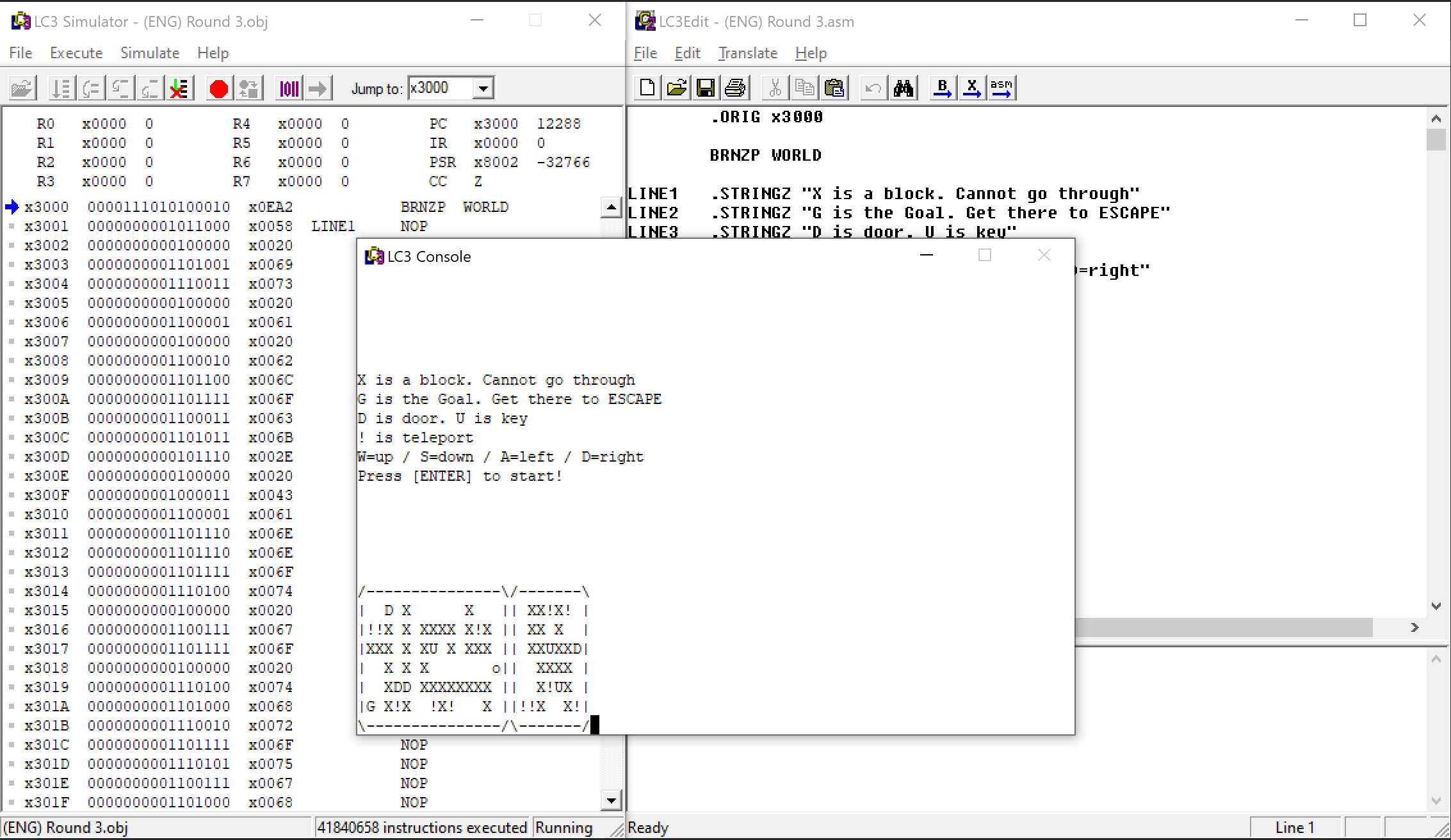
About
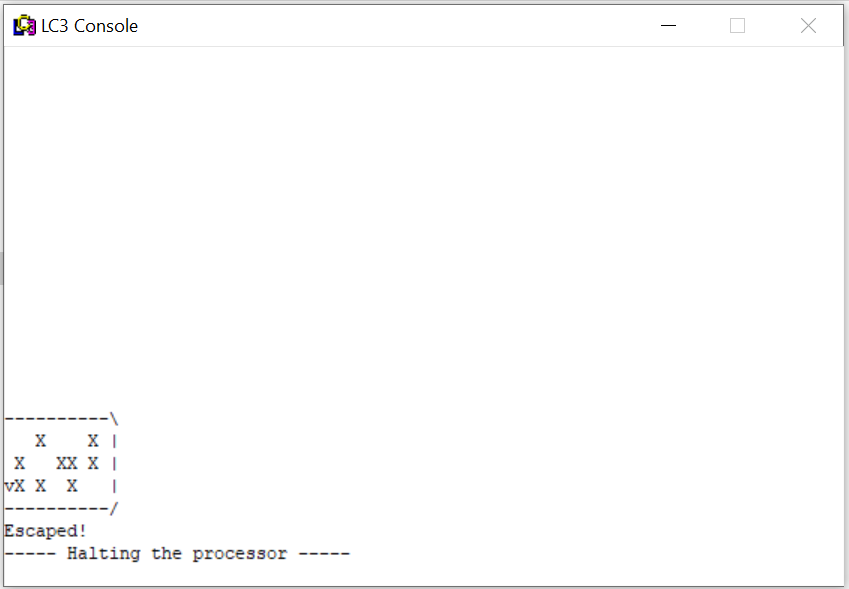
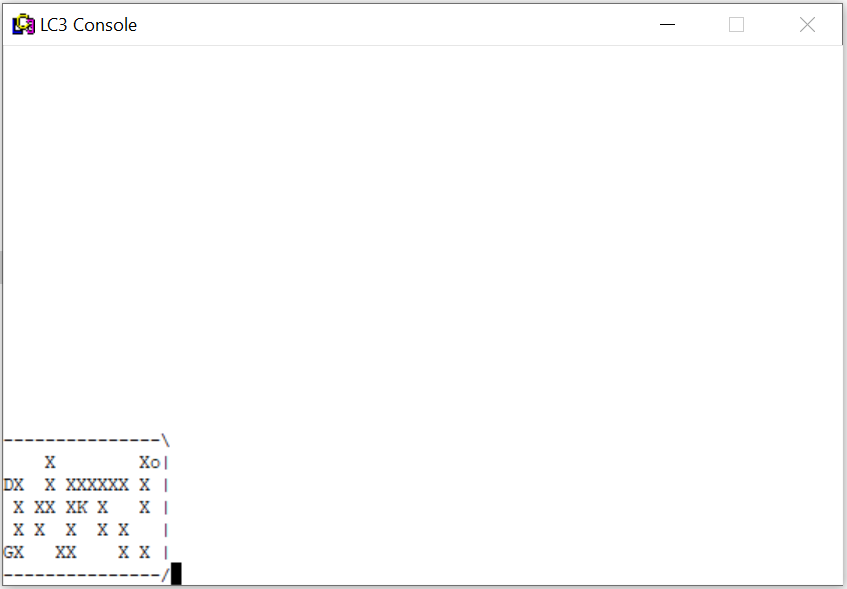
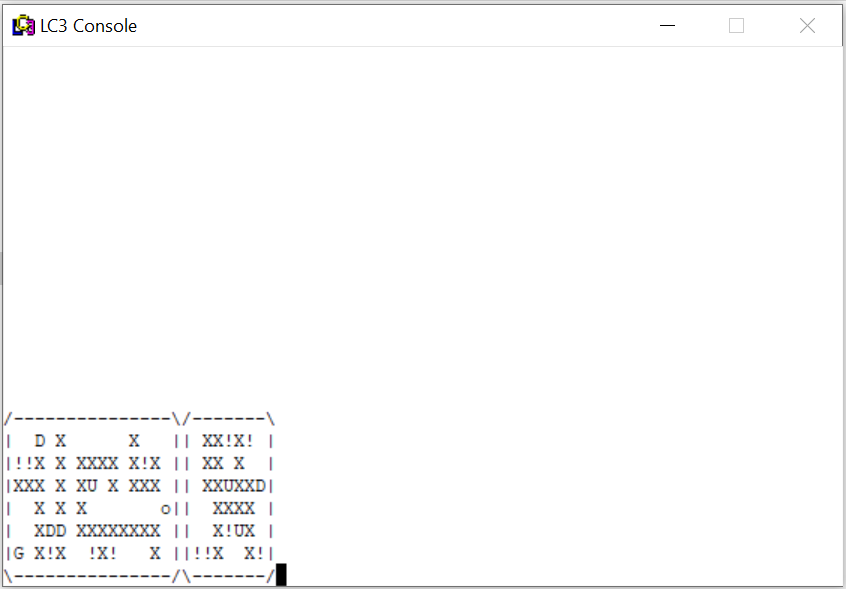
ASCII-based maze navigation game developed entirely in LC-3 Assembly language with no external libraries, demonstrating foundational programming skills and creative problem-solving within severe technical constraints as a first-time programmer.
History
I never knew what programming was until I started studying at UT. My major was Electrical and Computer Engineering,
and one of the very first computer engineering course we learn is what a program is and how a computer executes it.
We were taught from binary language to Assembly and we used
LC-3
program our professor created to simulate our code.
When I first saw that LC-3 had GUI support, I immediately thought of making games. And once I learned enough of Assembly,
I made a game that was doable with the knowledge I had and within LC-3's capability.
Yes! This is the very first game I have ever made, and this is the beginning of my life long journey of creating games.
Challenges
To understand better on what challenges I had while making this game, it helps if you know a bit of LC-3 Assembly language and LEA. I will try to explain this very plainly so no extra learning is required. If you know both, you can skip to the last section.
What is LC-3?
LC-3 Assembly language uses 16-bit instructions for educational purposes. This reduces to only 15 OPCODEs (or OPeration CODE) which is simpler to use. UT Lecture course on LC-3. In case the link is down, open this.
What is LEA?
Pretty much all instructions have the first 4 bits as OPCODE, which tells the computer what operation to run.
LEA (Load Effective Address) instruction has the following format:
[bit 15:12 - opcode] [bit 11:9 - destination register] [bit 8:0 - PCoffset9].
What this means is, when LEA instruction is executed, wherever that LEA is stored, PC is pointing to it.
PC is Program Counter that keeps track of where the program has to run next after current instruction is executed.
And from bit 8 to 0, a total of 9 bits will be used as a signed offset from that PC. And whatever that result is,
it will be stored to a register you specified at bit 11-9.
For example, if you have the following instruction,
LEA R1, -3
x30F6 1110 001 111111101
PC is already incremented to the next instruction, so it is x30F7.
The operation is x30F7 - 3, which is x30F4. And that will be stored in R1 (Register 1).
For more details on LEA.
What's the challenge?
Since LEA's signed offset (bit 8:0) only supported 9 bits, it's from -256 to 255. Anywhere beyond those points cannot be supported.
As the program gets longer, the string block of the maze map we have to reference to print to GUI is getting further away
from the LEA execution address, making it not possible. To work around this, I basically had to use LD (Load) instruction.
LD simply loads the data stored at the location.
x3000 LD R1, Label1
...
Label1 .FILL [RealAddress]
This way, we don't let LEA compute the address for us using the PC offset. We can directly feed in the calculated address immediately.
It seems like hardcoding the address is bad, but we can also hard code where the data lives. So we can guarantee the read is valid.
Other Challenges
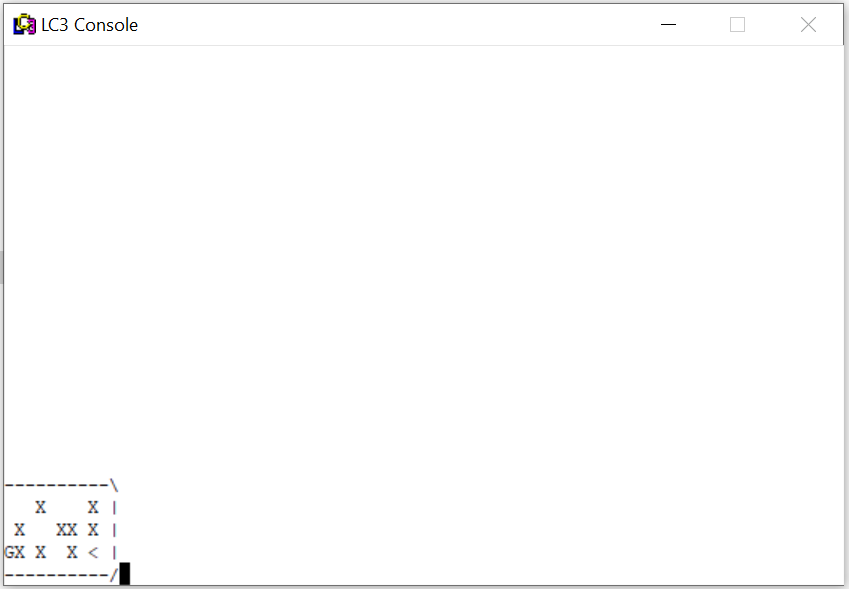
Whenever a player makes a valid move (not hitting the wall), the player's shape will change to the direction it has moved.
- > for right
- < for left
- ^ for up
- v for down
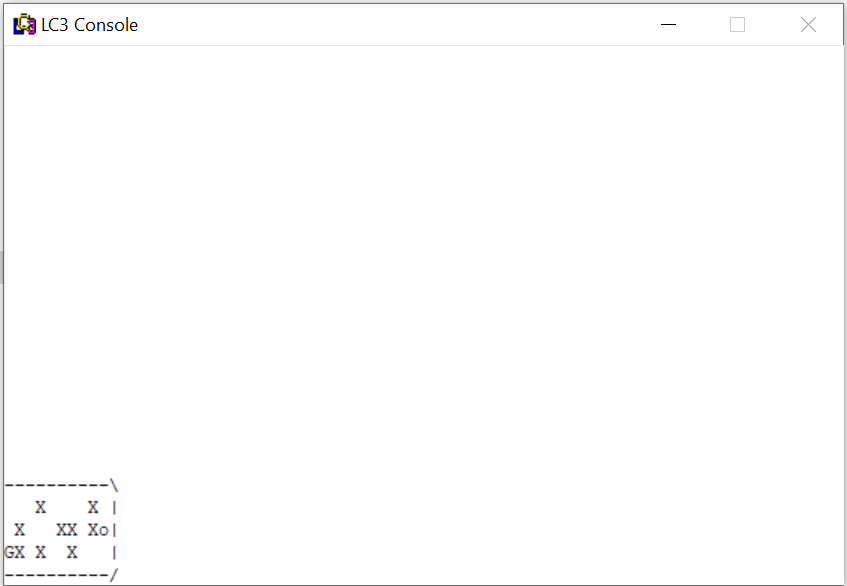
- o for starting shape or hitting the wall
Concise Rules
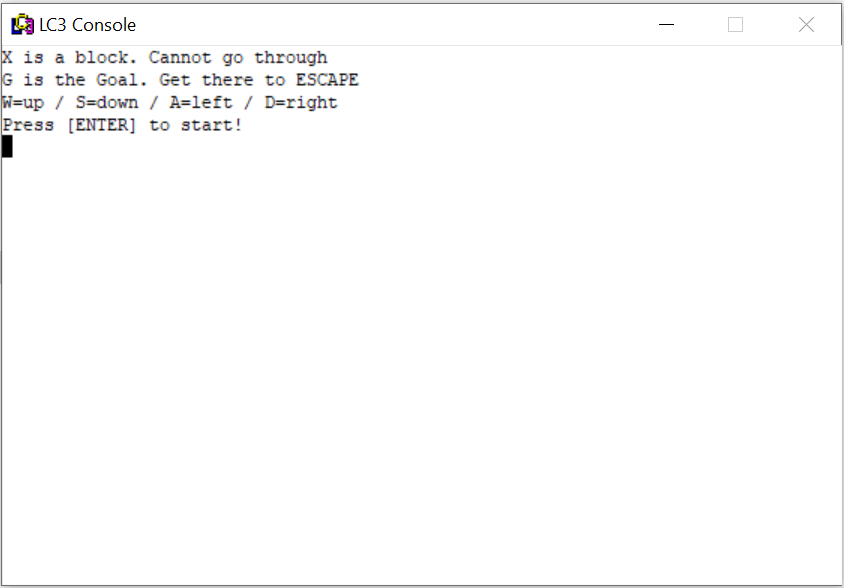
- Use WASD to move around the map.
- X = walls, cannot go through.
- G = goal, get there to escape (to win).
- D = door / U = key (to unlock the door)
- ! = teleportation
Play Demo Video
No Audio for this game.
Project information
- Environment Assembly (LC-3)
- Project date 1 Jan, 2014
- Game Designer
& Programmer
& QA CJ Kim - Original CJ Kim